
Comparison Leadinfo vs. Leadfeeder vs. Lead Forensics
An easy way to attract new customers. Since 2009, we have been experimenting with ways to attract new customers through visitor analytics. Our experience shows that targeted visitor engagement is far from cold calling, with a rejection rate of less than 2% on calls.
As part of our ongoing development, we have tested numerous lead generation tools - These are the best tools for acquiring new customers via the internet.
But: Which is the best lead generation tool?
How to Acquire New Customers in Times of Recession
You've lost revenue today without even realizing it. Visitors to your website have specifically researched your content and offers. But then they left the site without contacting you.
Wouldn't it be great if you could identify B2B website visitors and expand your sales funnel?
We'll show you three tools that can generate more and better leads than your competition. And the best part: all you have to do is contact these prospects and turn them into customers (according to our experience, this works with >25% of contacts).
Setup: Getting More Information from Your Website Visitors
It only takes a small snippet of code to set up customer tracking. This process is the same with all three providers. For WordPress users, there are specific plugins available that can be used. Leadfeeder offers seamless integration with Google Tag Manager or through a Header-Footer code plugin.
WordPress - Plugins:
https://wordpress.org/support/plugin/lead-forensics-roi/
https://wordpress.org/plugins/leadinfo/
https://help.dealfront.com/en/articles/3749362-installing-the-leadfeeder-tracker-on-a-wordpress-website
Once the scripts are installed, the tools begin collecting data.
Is Lead Generation GDPR Compliant?
All three products claim to be fully GDPR compliant. Tracking the visitor's IP address does not require cookies. At the same time, using their own scripts avoids accessing Google Analytics data. With data servers located in Europe, this complies with current regulations, according to the providers.
The tools match website visitor IP addresses with publicly available databases containing company data. According to GDPR, data collection is based on legitimate interests (Article 6(1)(f) GDPR), provided privacy policies are adhered to. Marketing and data analysis are considered legitimate interests.
Additionally, personal data is used in a limited manner and IP addresses are not stored.
Only publicly available company data is shared with users.
Recommended Approach for Lead Identification
To discover new leads, it's useful to find visitors for each marketing campaign. Especially with marketing campaigns like Google Ads, Bing Ads, Facebook Ads, or email campaigns, it's possible to see who clicked on the corresponding ads.
But also for analyzing which areas were visited on a website, appropriate triggers can be set in all tools.
Leadinfo also has the option of a LinkedIn export. This provides the basis for retargeting campaigns. Ads can be targeted to companies that have already shown interest in the product or service. Even better, ads within LinkedIn can be targeted more specifically to decision makers.
This is a definite plus for Leadinfo compared to the other tools.
Lead Forensics
Lead Forensics (https://www.leadforensics.com/) claims to be the #1 identification software for new customers.
The software offers numerous integration possibilities with widely used CRM software such as HubSpot or Salesforce, as well as with numerous newsletter software like Sendinblue, MailChimp, and others.
Lead Forensics bills its prices in British pounds. A yearly subscription typically starts at no less than 3600 GBP, which is approximately 4,075 Euros.
The software is well-organized with good filtering methods, but it's not very usable on a mobile device.
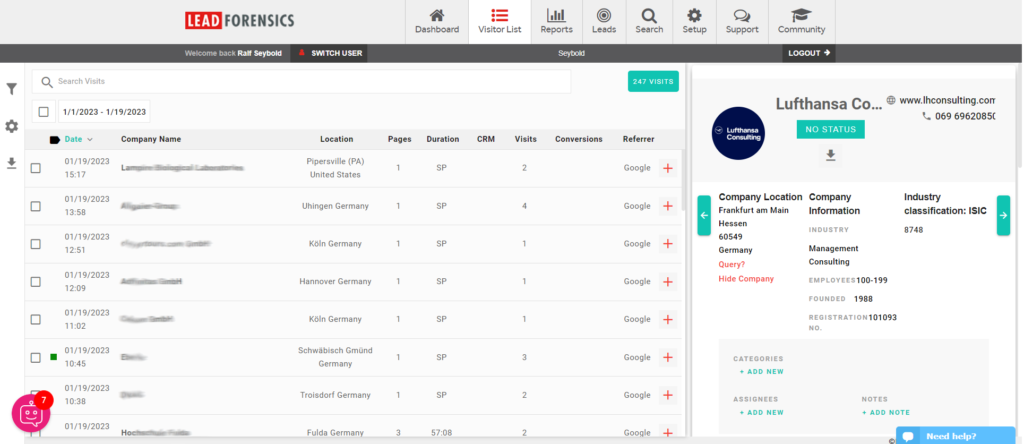
The tabular overview provides a good summary of who has accessed the page. In the right-side widget, you can find information about the company. Lead Forensics also offers, for an additional fee, thoroughly researched contact persons and their emails.
In our tested case, these were rather scarce for German companies, but better researched for companies abroad, especially those in English-speaking countries.
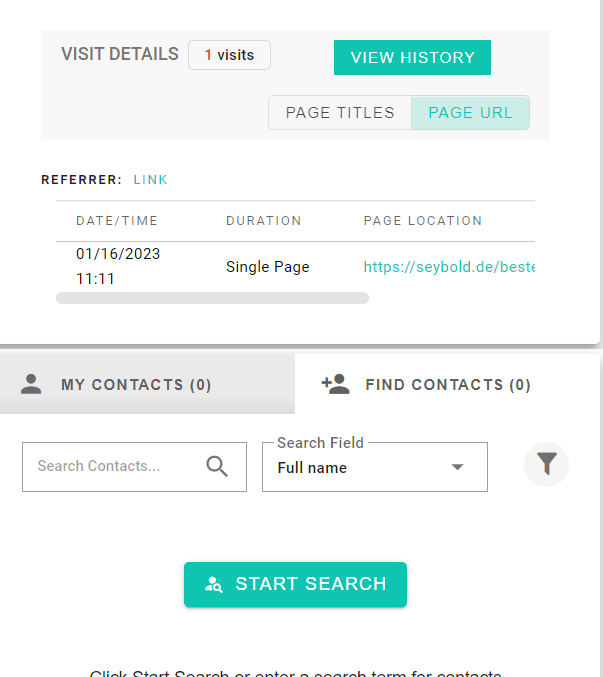
The indication of which page(s) was/were viewed is well represented in all tools. In addition to the date, the time at which a visitor read the page is also provided.
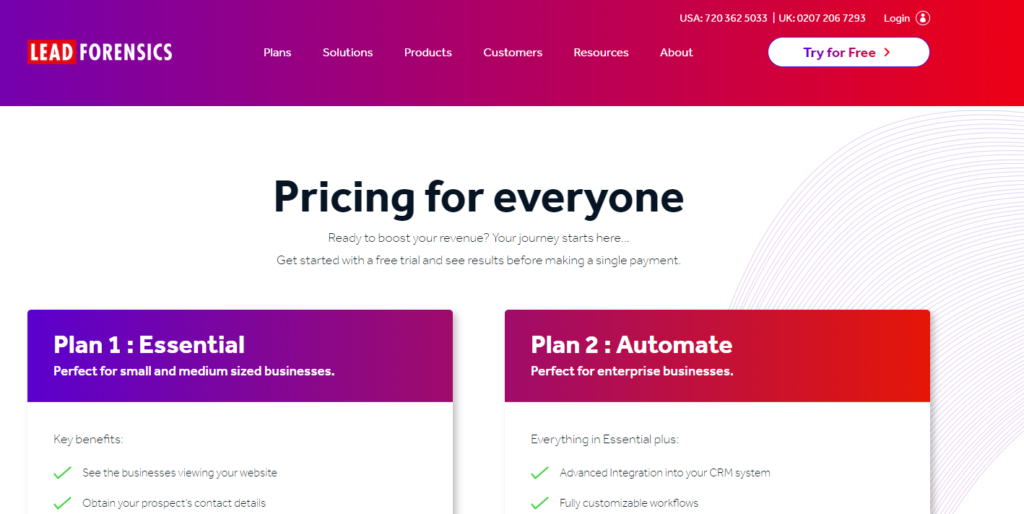
On its own website, Lead Forensics can be somewhat vague when it comes to pricing statements. Lead Forensics aims to demonstrate the product to every potential customer and provide personalized pricing offers.
Integrations are available, but they are not always easy to install. However, the support is very good and can help create the desired connections.
For example, automatic integration with Pipedrive is also possible.
Leadfeeder
Leadfeeder (https://www.leadfeeder.com/) is a pioneer from Finland that initially built on Google Analytics data and now, like others, offers its own script.
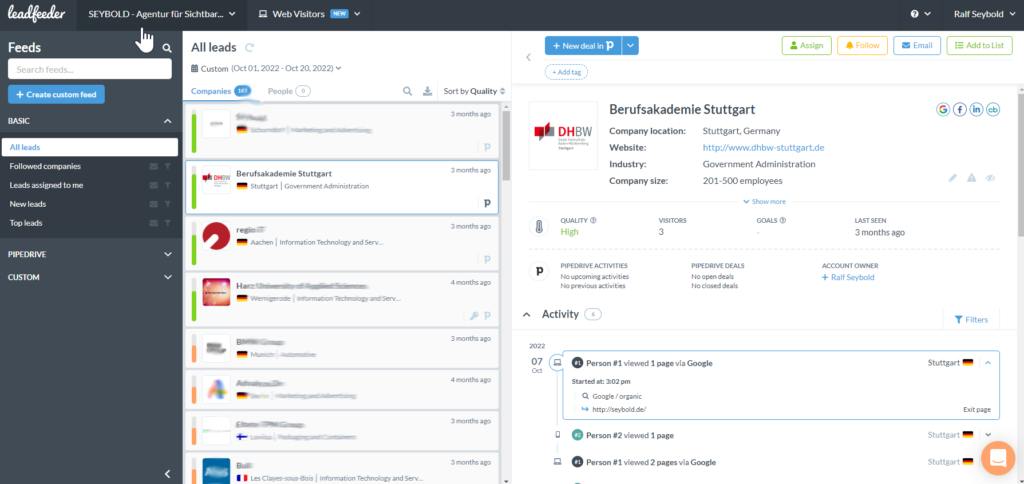
Leadfeeder provides a very clean and clear display of leads. Sorting is easily achievable.
Integration with common CRMs such as Pipedrive is straightforward, and even those who prefer to work directly within the interface can do so.
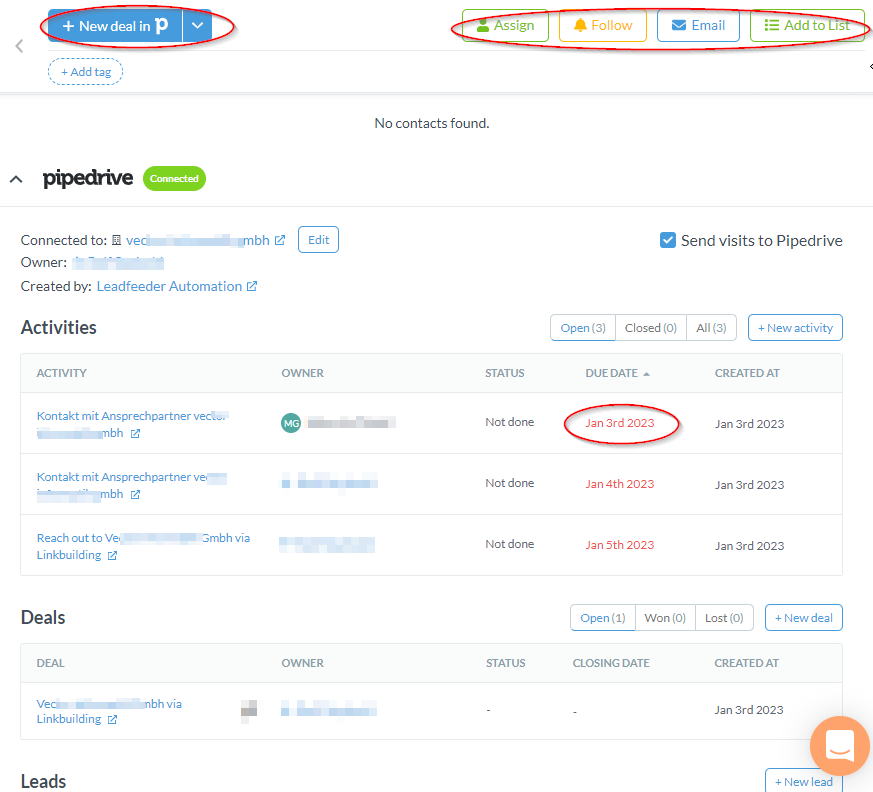
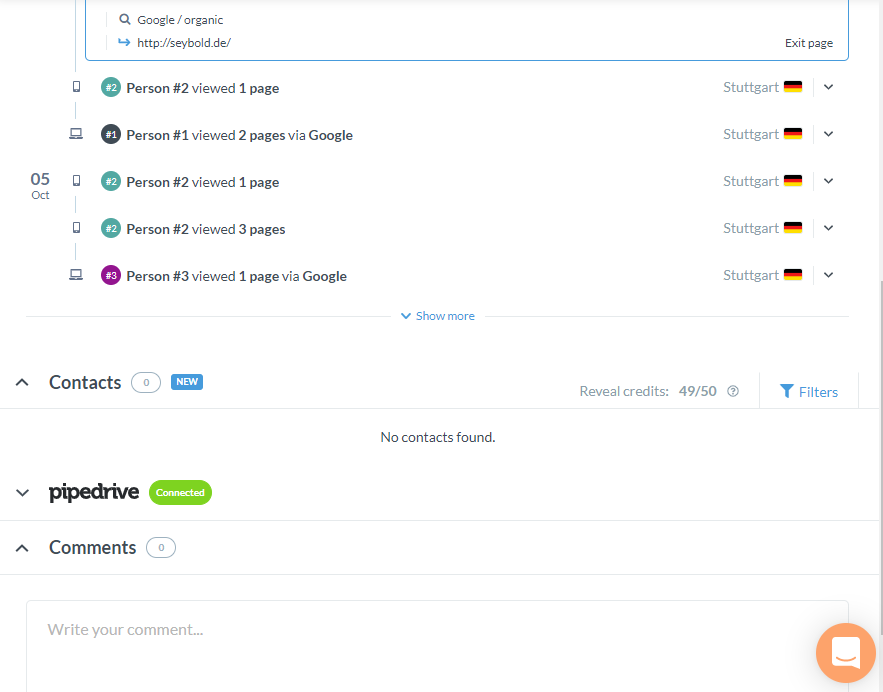
A lead can be assigned to a colleague or sent via email. The ability to tag the lead enhances the sorting of individual prospects. All visitor activities are displayed clearly with corresponding dates. Especially when integrated with CRM, even more information is provided.
This includes whether the contact has been contacted or a deal created. It's also easy to see which sales representative has been assigned and whether they haven't yet completed their tasks, all without needing to access the CRM.
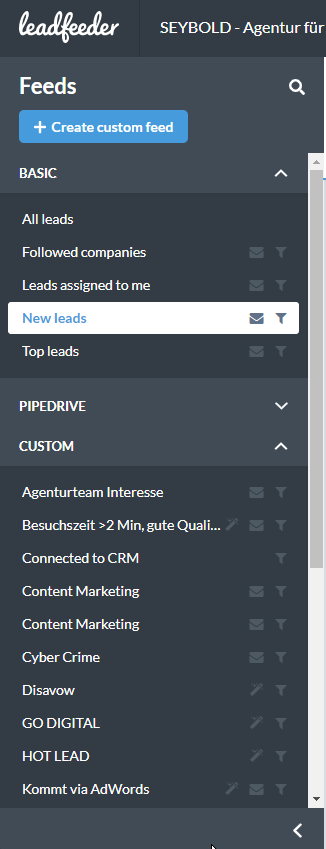
Leadfeeder's filtering options are excellent and easy to install. For example, if you want to filter visitors based on whether they visited specific pages or spent more than two minutes on the website, that can be easily set up.
Leadfeeder is a real asset in this regard.
Connectors to Google Analytics or JavaScript objects provide the opportunity to interact directly with the customer as soon as they enter the page. Unfortunately, there are no predefined scripts for this and it's a bit "trickier" to program, but it's achievable.
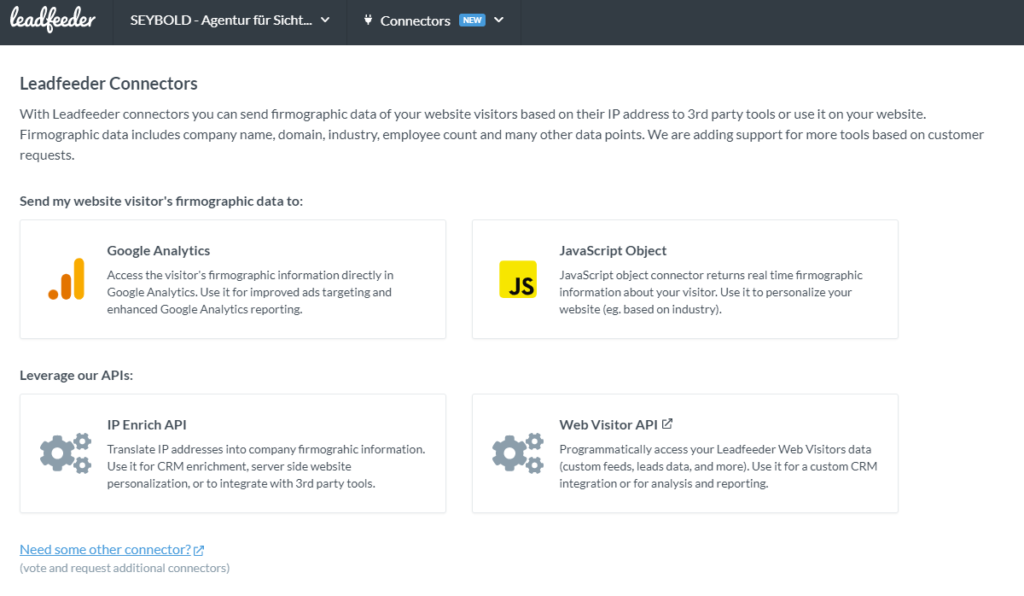
Leadfeeder starts at $139 per month, which is approximately 130 euros. However, Leadfeeder's pricing is tiered based on the number of leads per month. The subscription is adjustable using the appropriate filters. For instance, if I'm only interested in leads from Germany, the volume of leads can be adjusted.
Leadfeeder is a pioneer in the industry and a very good solution. Check out Leadfeeder here: https://sybd.de/leadfeed
Leadinfo
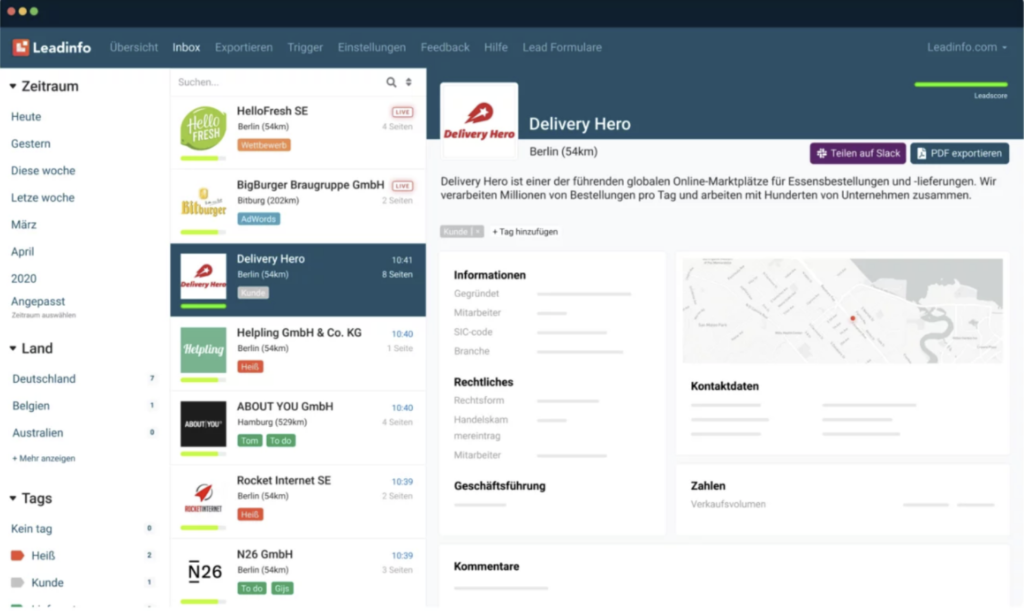
Leadinfo provides a very clear dashboard. At first glance, the timeframe is selectable, and in the center, the leads are displayed, sorted by name, date, or LeadScore. This makes it quick and easy to see who has a strong interest in the company.
In the right widget, there is a wealth of additional information, especially detailed company data. This includes the company's address, commercial register entry, shareholders, and - unlike other providers - the revenue or financial statements of the company.

With this information, you get a quick view of whether the potential customer is also a solvent customer. This is an important point in the daily work life of a salesperson.
Speaking of key points, no other tool provides contact details as comprehensive as Leadinfo.
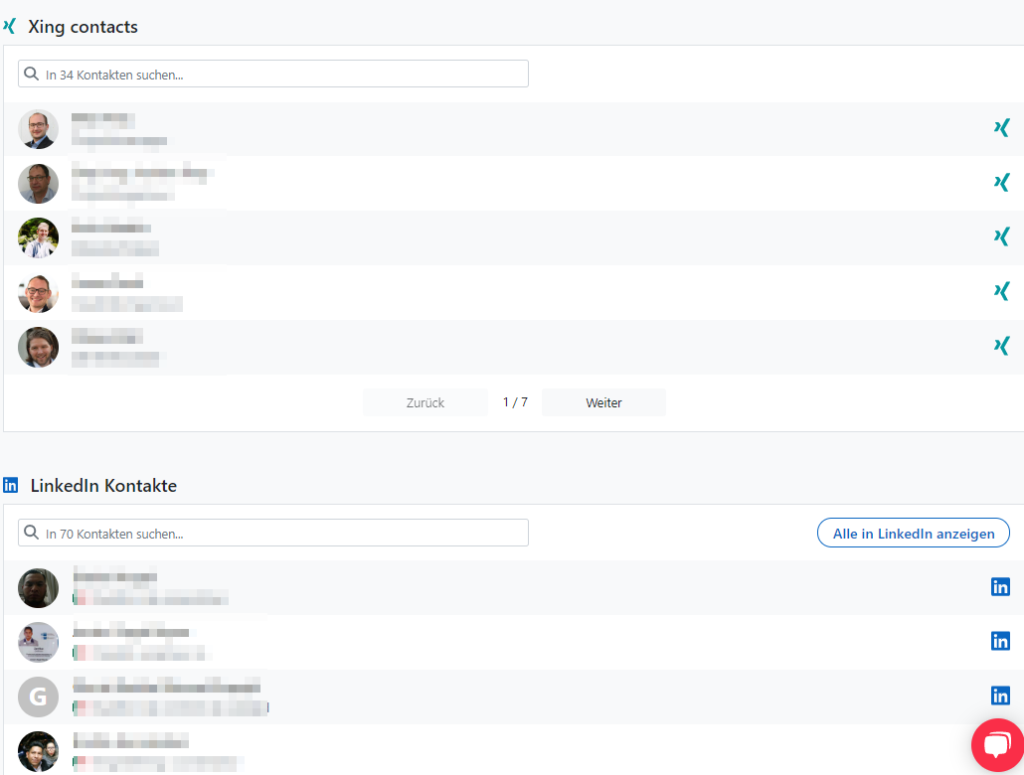
In addition to Xing contacts with direct links, there are also LinkedIn contacts available. As a bonus, there is a list of known email addresses.
Researching the right person couldn't be easier. And contacting them is just as straightforward.
In the left-hand sidebar widget, you can set and predefine the observation period. There are also all filters, such as by URL, and the default settings. A selection of keywords, which can be added at any time, provides quick lead classification.
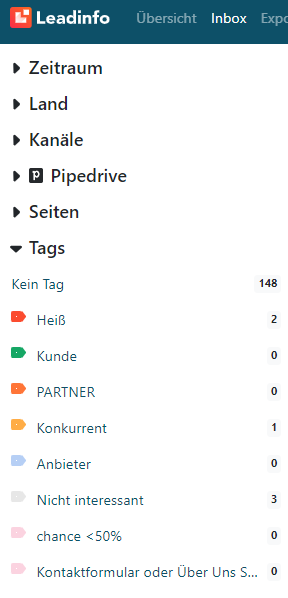
With these tags, leads can be quickly supplemented so that colleagues immediately know which effort to put into which lead or how likely a conversion rate will be.
The menu at the top of the screen offers various options. Regular, automatic exports are possible. This allows leads to be distributed to the right people. For example, you can send all leads interested in a specific topic - such as Google Ads optimizations, etc. - to the Google Ads team. This way, each department can leverage their expertise and acquire new customers more easily.

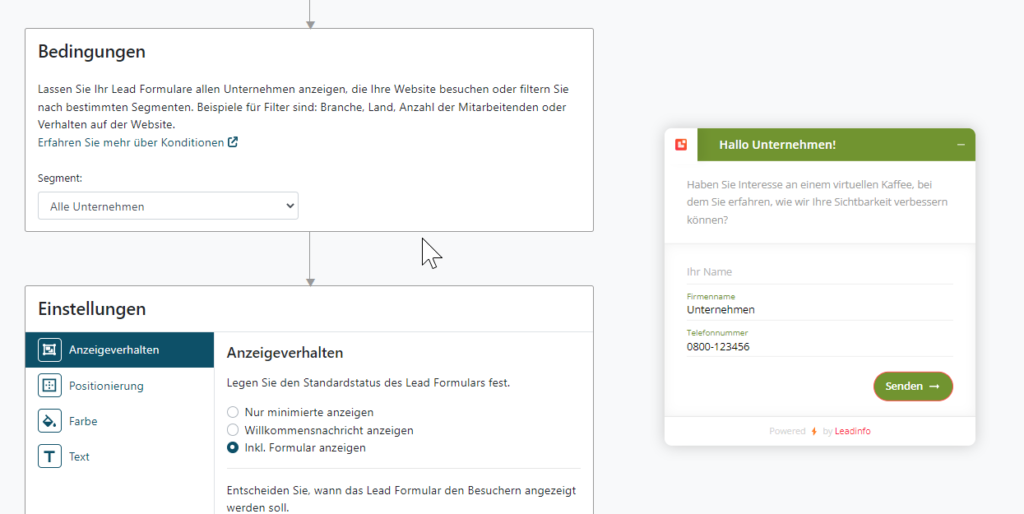
With lead forms, there's the additional option to engage users directly on the website. Similar to Leadfeeder, this can also be set up in Leadinfo - but much easier and with simple form setup.
This provides the opportunity to address a user directly on the site.
However, our experience with this in Germany is less than 1% contact rate. The "typical German" prefers not to know what is known about them. In neighboring countries, this works better. For example, the rate in the Netherlands is >20%.
For specific landing pages, though, it can be a way to refresh the relevant information with direct contact options.
Looking at the integration possibilities, it quickly becomes clear that Leadinfo is the most comprehensive solution.
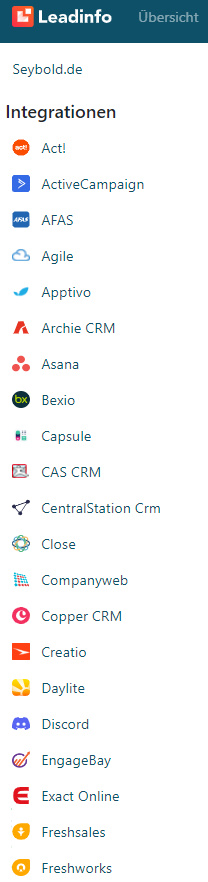
An integration with over 40 tools makes Leadinfo the most comprehensive tool available.
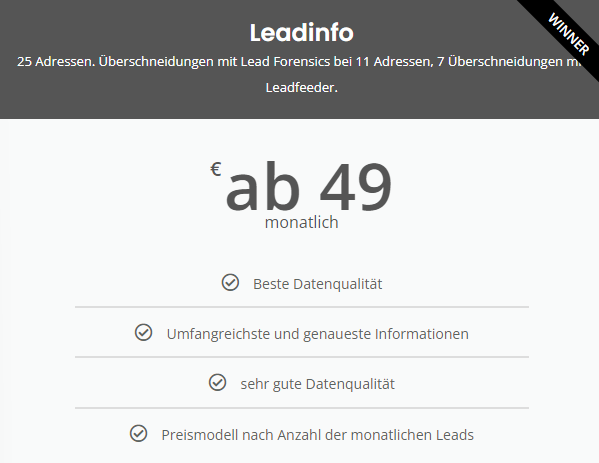
Leadinfo is available at about 50% of the cost required for Lead Forensics. Compared to Leadfeeder, the cost difference is not necessarily significant.
However, Leadinfo offers the most extensive information on leads.
But what about the quality of the addresses?
We simply checked which addresses we could collect on seybold.de on January 23, 2023.
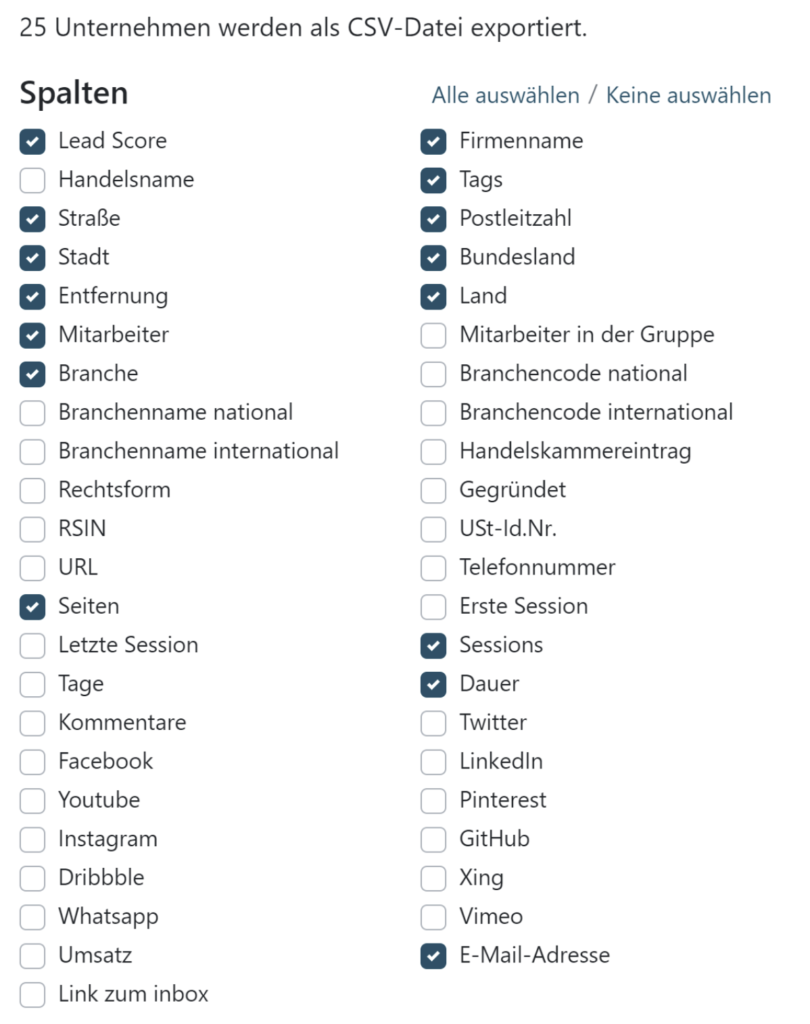
To do this, we exported all addresses and information.
With Leadinfo, there's the widest range of options.
Lead Forensics has the best-styled Excel for anyone who places a high value on aesthetics.
But now, onto the information:

The most expensive tool offers its advantages outside of Germany. Unfortunately, its value in Germany is nowhere near as good as that of Leadfeeder or Leadinfo. However, Lead Forensics does have the best-styled export Excel. While this is nice, it doesn't quite make up for it. Overall, Lead Forensics can only be conditionally recommended.
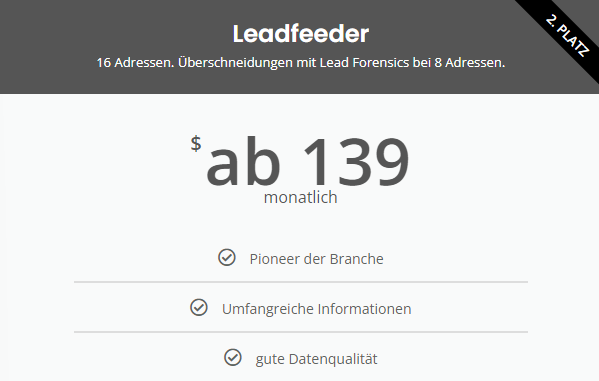
to Leadfeeder (dealfront)
Leadfeeder, like Leadinfo, offers a comprehensive range of information, but unfortunately doesn't match the quality of Leadinfo. It also has significantly fewer integrations. Therefore, this product is my second choice. However, Leadfeeder is still a good tool to work with.
Lead Forensics: 25 addresses. Of these, 100% have not been customers so far.
Leadfeeder: 16 addresses. 8 of these overlap with Lead Forensics.
Leadinfo: 25 addresses. 11 overlaps with Lead Forensics, 7 with Leadfeeder.
Pipedrive: Pipedrive's own plugin shows 34 addresses, with 16 overlapping with Leadinfo and all addresses from Leadfeeder.
None of the tools show exactly the same addresses as the other tools. This shows the difficulty with lead tools. It must be assumed that not all information can actually be viewed.
There is a clear opinion for deciding which tool we recommend.
Winner: Leadinfo
It is particularly suitable if you want to receive as much information as possible to help the sales team qualify potential customers. Integrations on the website are very comprehensive, and working with the tool is highly efficient. Moreover, it is absolutely worth its price. For me, Leadinfo is the best solution when I want to have as much information as possible about potential customers.
Pipedrive
Pipedrive is my second choice because it shows the highest number of leads and is perfect for Pipedrive users. The costs for Leadbooster and Web Visitors are an additional 1058 euros per year on top of Pipedrive's usual usage fees. Thus, it is a very cost-effective alternative when using Pipedrive as a CRM.
Leadfeeder
Leadfeeder, like Leadinfo, provides a large amount of information, but unfortunately does not match the quality of Leadinfo. The number of integrations is also significantly lower. Therefore, this product is my second choice. However, Leadfeeder is still a good tool to work with.
Lead Forensics
The most expensive tool offers its advantages outside of Germany. Unfortunately, its value in Germany is not nearly as good as Leadfeeder or Leadinfo. However, Lead Forensics has the best-styled export Excel, which is nice but unfortunately doesn't make up for its shortcomings.
Overall, Lead Forensics can only be
Free Trials:
Lead Forensics: Please contact the provider.
Leadfeeder:Click here for a free trial (affiliate link).
Leadinfo: You are welcome to try Leadinfo for free. Please contact us and we will set up your trial access.
Book your consultation now:
PHONE APPOINTMENT
Schedule a Phone Appointment

Schedule a telephone appointment
