
Handling 404 Errors in SEO: 404, Soft 404, and 410
A 404 error is not a ranking problem in itself but a correct signal: the requested page does not exist. It only becomes problematic when important URLs with backlinks, traffic, or internal links lead nowhere, when error pages wrongly respond with status code 200 (soft 404), or when hundreds of old addresses disappear without a redirect after a relaunch. The right way to handle 404s in SEO therefore does not mean eliminating every error but consciously deciding, for every deleted or faulty URL, whether it should return a 404, a 410, or a 301 redirect, and working on the cases with real potential for loss first.
Securing visibility after a relaunch
SEYBOLD ONE supports companies in identifying ranking losses and technical SEO problems and in developing individual strategies to restore visibility.
Get a free consultationWhat a 404 status code means for Google
The HTTP status code 404 (“Not Found”) tells the browser and the crawler that no resource exists at the requested address. In its documentation on HTTP status codes, Google describes the consequences soberly: new URLs that respond with 404 are not processed, and already indexed URLs that return a 4xx status in the future are removed from the index. At the same time, the crawl frequency for the affected URL gradually decreases, while 4xx codes, with the exception of 429, do not cause a general throttling of the crawl frequency for the entire website.
An important distinction follows from this that gets lost in many discussions:
- The domain is not penalized by 404 errors. A website does not lose trust across the board just because Search Console shows a long list of URLs not found.
- The individual URL loses its rankings completely. What was indexed under this address drops out of the index, and with it every keyword the page ranked for.
- The signals pointing to the URL are lost. External backlinks and internal links to a 404 page no longer pass value, because there is no target to which this value could relate.
A sudden ranking loss after deleting categories, renaming product URLs, or switching CMS is therefore rarely a “penalty” but in most cases the direct consequence of ranking URLs simply no longer existing.
404, soft 404, and 410 compared
Three responses are often confused in practice although they have very different consequences for crawling and indexing. The following overview summarizes the differences.
| Response | Status code | What the server signals | Consequence for Google | Typical use |
|---|---|---|---|---|
| 404 Not Found | 404 | Resource does not exist, no statement about duration | URL is not indexed or is removed from the index, crawling gradually decreases | Typo URLs, addresses that never existed, removed content without a successor |
| 410 Gone | 410 | Resource permanently removed | Generally treated like 404 by Google | Deliberately and finally deleted content, spam URLs, discontinued areas |
| Soft 404 | usually 200 | Page “exists” technically but shows an error or empty content | Google may classify the URL as a soft 404 and not index it | Misconfiguration that should be fixed |
| 301 Moved Permanently | 301 | Content permanently lives at a new address | Strong signal for the redirect target | Moved content with an equivalent successor |
Soft 404: why status code 200 does not help
A soft 404 arises when a page looks like an error page to the user or contains hardly any content, but the server responds with a 2xx status. Google explicitly points out that such a 2xx response can be recognized as a soft 404 if the content is empty or contains an error message. A status code 200 therefore guarantees no indexing.
Typical causes in shops and content systems are:
- A custom error page delivered via a template that sends status code 200 instead of 404.
- Empty category or filter pages that say “No products found”.
- Sold-out products whose detail page only shows a notice without substantial content.
- Internal search result pages without hits that are crawlable and indexable.
- Blanket redirects of deleted URLs to the homepage or a topically unsuitable category.
From an SEO perspective, soft 404s are usually more harmful than real 404s because they direct crawling resources to worthless pages, distort the evaluation in Search Console, and send contradictory signals to the crawler. The solution almost always consists of making the signal unambiguous: either the page receives real, helpful content, or it responds consistently with 404 or 410.
404 or 410: how big is the difference?
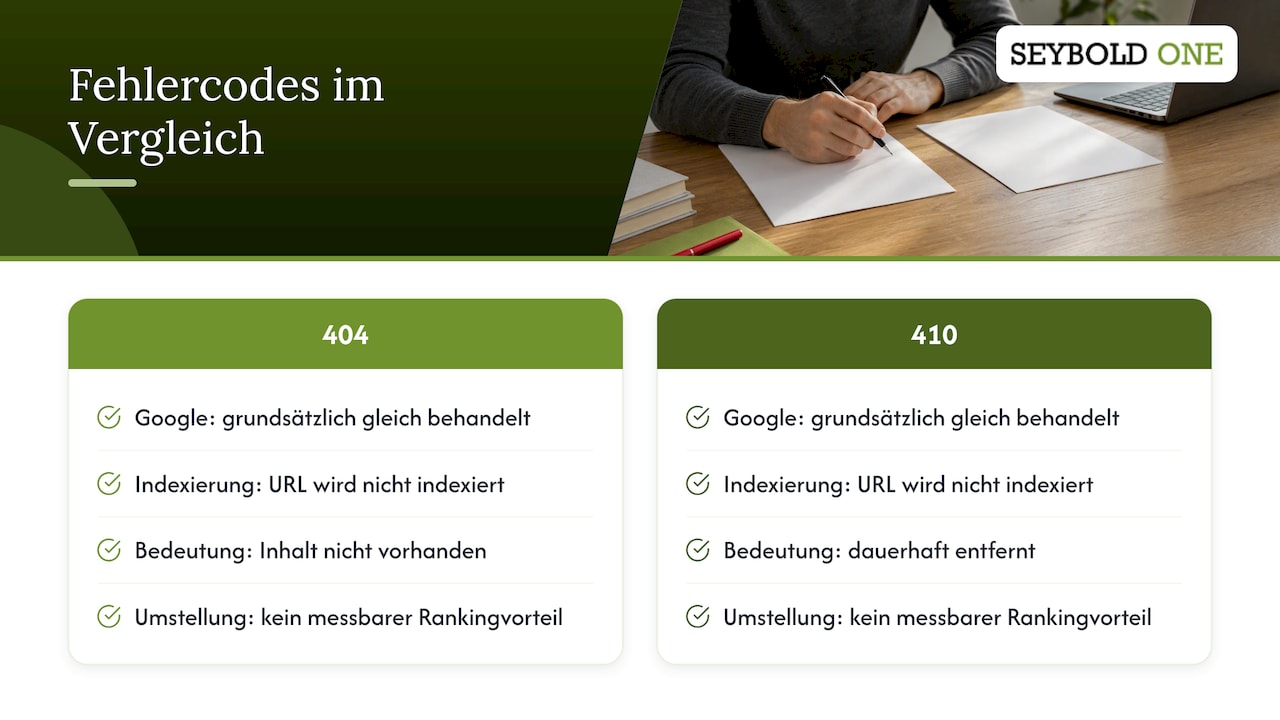
The question of 404 or 410 is asked more often than it matters in practice. According to Google, 404 and 410 are generally treated the same in processing: both signal that the content does not exist, and both lead to the URL not being indexed. The 410 is semantically more precise because it expresses “permanently removed” and is therefore well suited for documenting a deliberate decision, for example with deleted spam pages after a hack. You should not, however, expect a measurable ranking advantage from switching existing 404s to 410.
Decision logic: 404, 410, or 301 redirect
A short but systematic check is worthwhile for every URL that no longer exists. The following criteria have proven themselves in audits and relaunch projects:
| Situation | Recommended response | Reasoning |
|---|---|---|
| Content still exists under a new URL | 301 to the new URL | Rankings and link signals are passed on to the target |
| There is a topically equivalent successor (new model, merged guide) | 301 to the successor | Users and crawlers find the fitting replacement |
| Content removed without replacement, but the URL has backlinks | Check: is there a suitable successor? Otherwise 404/410 | An unsuitable target passes no value and creates soft 404s |
| Content removed without replacement and finally, no links | 404 or 410 | Clean signal, no further action needed |
| URL never existed (typo, spam, bot pattern) | Leave the 404 | No need for action, redirects would be counterproductive |
| Content is only temporarily unavailable | Keep the page or 302 | The URL should keep its place in the index |
Google describes the 301 as a permanent redirect and strong signal for the redirect target, while the 302 is by default a weaker signal for a temporary target. When each variant fits is explained in detail in our guide 301 vs. 302 for SEO.
Finding and prioritizing 404 errors
Not every 404 message deserves attention. What matters is which URLs not found previously had value. For the analysis, we recommend a five-step approach:
- Evaluate Search Console: In the Page indexing report, Google lists the affected URLs under “Not found (404)” and “Soft 404”. Export both lists, because they call for different measures.
- Run your own crawl: A crawler that goes through your website like a search engine shows which internal links point to 404 targets. You cause these errors yourself, and the quickest way to fix them is to correct the links in the CMS instead of bypassing them with redirects.
- Match backlinks: Match the 404 URLs against your link profile. URLs with high-quality external links have top priority because link authority is lost here.
- Check traffic and rankings: Compare the list with historical data from analytics and Search Console. A URL that still received clicks three months ago is a different case from an address that was never visited.
- Include server log files: Log files show how often Googlebot actually accesses faulty URLs. This lets you recognize patterns, such as faulty parameters or massively generated spam URLs.
A clear prioritization results from this data: first come URLs with backlinks and former traffic, then internal link errors, then soft 404s, and last of all the large mass of URLs that never existed.
Special case: relaunch
After a relaunch or CMS switch, 404 errors typically appear suddenly and in large numbers because URL structures have changed and the redirect matrix is incomplete. For site moves with URL changes, Google recommends careful planning, step-by-step testing, and not making several large changes at the same time; temporary ranking fluctuations are to be expected. The more pages are moved, the more possible problems arise. Anyone who is shortly before or after a relaunch will find the individual checks in our checklist for the SEO-safe CMS switch.
Setting up redirects without creating new problems
The most common reaction to a long 404 list is a blanket redirect of all errors to the homepage. That is exactly what creates new problems: Google can also treat redirects to a target that has nothing to do with the original page in terms of content like a soft 404, so the hoped-for preservation of link signals does not materialize. For the user it is also irritating to land suddenly on the homepage instead of the sought product.
Clean redirects follow a few principles:
- One-to-one instead of blanket: Every old URL points to the topically closest target, not to a catch-all page.
- No chains: A redirect leads directly to the final target. Chains of several hops slow down crawling and increase the risk of errors with later changes.
- No loops: After every change, check whether rules cancel each other out.
- Adjust internal links: Redirects are a safeguard for external references and bookmarks. Internal links should point directly to the new URL.
- Target with status 200: The redirect target itself must be reachable and indexable, not another error page.
- Maintain permanently: Redirects of old URLs with backlinks should remain in place for the long term instead of disappearing from the configuration after a few months.
For the technical implementation on Apache and Nginx servers, we provide a generator for 301 and 302 redirects with which rules for .htaccess and Nginx configurations can be created without errors.
Which 404 errors may remain
A 404 is not a defect but the correct answer to a request for something that does not exist. You can usually leave the following cases untouched:
- URLs that never existed, for example through typos in external links or bots that query random paths.
- Deleted content without backlinks, without traffic, and without a sensible successor.
- Spam URLs that arose after a hack or through foreign link campaigns and now respond with 404 or 410.
The last case in particular worries many operators because Search Console suddenly reports thousands of cryptic URLs, which often appear in waves. Such patterns are usually an expression of spam links or cleaned-up malware pages. You should never redirect such URLs, since you would otherwise steer foreign, possibly toxic signals onto your own pages.
How to design a helpful 404 page
The custom 404 page is the place where you win back lost visitors. It does not decide rankings, but it does decide whether a user stays or bounces. A good error page meets three technical and several content requirements.
Technically:
- The page responds with status code 404 (or 410), not with 200 and not with a redirect to a separate error URL.
- It is delivered under the requested URL so that the crawler captures the status of the original address correctly.
- It loads quickly and uses the regular layout with navigation so that it remains recognizable as part of the website.
In terms of content, the following has proven useful:
- A clear, matter-of-fact statement that the page was not found, without blaming the user.
- A search field that leads directly to the internal search.
- Links to the most important categories, bestsellers, or current guides, depending on the business model.
- A way to get in touch for users who expected something specific.
- Event tracking in web analytics so that you see which URLs actually lead users to the error page.
The last point in particular is often underestimated: evaluating the views of your 404 page delivers a list of real user problems that Search Console alone does not show.
Our perspective: 404 management is risk management
In forensic analyses after sudden ranking losses, we regularly come across the same pattern: it is not the sheer number of 404 errors that is the problem but a small group of formerly strong URLs that disappeared without a redirect during a relaunch, an assortment cleanup, or a change of the URL structure. These addresses often carry a considerable share of a domain's link authority and organic clicks, and their loss shows up with a delay in the visibility index.
That is why we don't see 404 errors as technical housekeeping but as part of visibility risk management. We evaluate every affected URL by its link profile, its historical traffic, and its role in internal linking before we decide on 301, 404, or 410. Equally important to us is what should not be done: mass redirects to the homepage, redirecting spam URLs, or blindly “emptying” the Search Console reports create more risks than they solve. A clean status code concept that precedes every larger rebuild is, in our experience, the cheapest insurance against visibility losses.
Support with ranking losses and relaunches
If you have lost visibility after a relaunch or an assortment change, or want to secure a rebuild, we start where the cause lies. A technical audit costs €1,500 to €3,500 with us, a forensic audit for root cause analysis of ranking losses €1,500 to €5,500, and relaunch safeguarding starts from €1,500. You will find all services and prices in our overview How much does SEO cost? As a first step, you can request a free initial analysis.
Frequently asked questions about 404 errors and SEO
Do many 404 errors harm the ranking of my entire website?
No, a high number of 404 errors does not lead to a devaluation of the entire domain. Google merely removes the affected URLs from the index and crawls them less often over time. It only becomes critical if URLs with backlinks, traffic, or important internal linking are among them.
What is the difference between 404 and soft 404?
A real 404 sends the matching status code and is an unambiguous signal. A soft 404 shows an error message or empty content but responds with status 200, so Google has to classify the page as an error itself. You should fix soft 404s by either providing real content or sending the correct error code.
Should I answer deleted pages with 404 or 410?
Both codes are generally treated the same by Google. The 410 expresses more precisely that content was permanently removed and is suitable, for example, for cleaned-up spam URLs. The choice between the two usually brings no ranking advantage.
May I redirect all 404 errors to the homepage?
We advise against it. Redirects to topically unsuitable targets can be treated like soft 404s, then pass no signals and confuse users. Only redirect where there is a content-equivalent successor, and let all other URLs respond with 404 or 410.
Sources
- Google Search Central: How HTTP status codes affect Google's crawlers
- Google Search Central: Site moves and migrations with URL changes
Recommendations
